

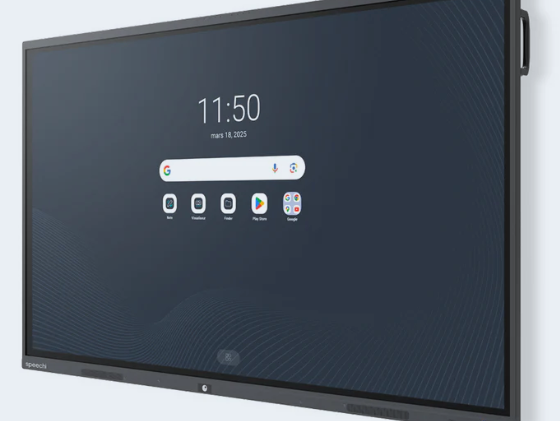
How to you choose the best digital whiteboard ? You kwnow the answer thanks to Speechi. Another question keeps cropping up: interactive whiteboards – how do you choose the best model without getting lost in the maze of technical specifications? For a teacher, trainer or headteacher, the answer lies in the day-to-day reality of the classroom or meeting room. The chosen device must facilitate the transfer of knowledge, engage the audience’s attention and integrate seamlessly into the existing infrastructure. A poor decision risks stalling the adoption of the technology, whereas a well-chosen solution quickly becomes the cornerstone of teaching and learning.
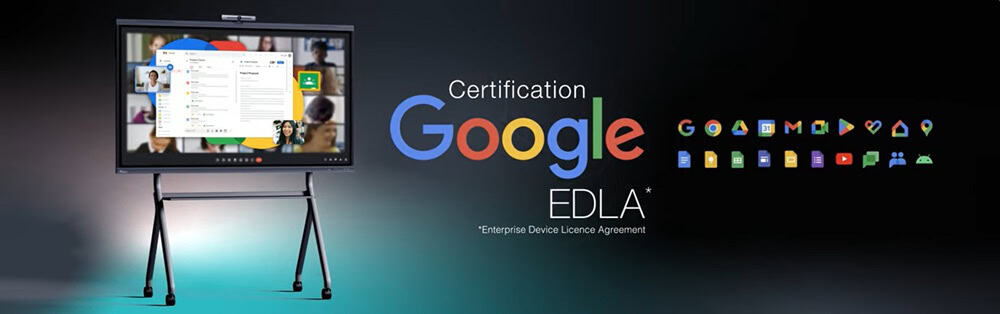
Speechi’s experts guide this process by engaging with the realities on the ground, whether this involves the diversity of classrooms, user support or defined budget constraints. The actual fit between the device’s features and the user’s professional workflows takes precedence over mere technical specifications. Viewed from this angle, the interactive display proves to be a genuine catalyst for collective efficiency, collaboration and ease of use.

What technical criteria should be analysed to answer the question: ‘Interactive display – how to choose the best model?’
Solving the puzzle of choosing the best interactive display model requires a thorough understanding of the technical details that shape its usability. The physical dimensions of the screen must first align with the room’s layout. A large training space requires a generous screen diagonal to ensure visual comfort for participants seated in the back row.
Whether it’s the surgical precision of an ultra-high-definition 4K display or the choice of a suitable touch technology — infrared or capacitive — every technical component must work together to make handwritten annotation as fluid and natural as writing on a traditional whiteboard.
The systematic evaluation of the equipment is based on several key factors:
- Responsiveness and the number of simultaneous touch points for collaborative work
- Luminance adjusted to the room’s natural or artificial lighting conditions
- An optimal viewing angle to avoid blind spots for people sitting off-centre
- The computing power of the built-in central processing unit to prevent any latency
- The versatility of the operating system in relation to your current software suite
Speechi also emphasises a parameter that is often overlooked: the systemic coherence of the device. Exceptional hardware, when isolated from its preferred educational software, immediately loses its practical value. The analysis must therefore remain pragmatic, taking into account the almost idiosyncratic nature of each workspace.

Interactive display: how to choose the best model based on the specific requirements of your sector?
The profile of end users profoundly shapes the solution to the interactive display dilemma: how to choose the best model. In a classroom, interactivity must take a back seat to the immediacy of the learning process: children must be able to manipulate, draw and erase without encountering complex software barriers. Furthermore, the physical durability of the screen is essential to withstand the daily wear and tear caused by a young audience.
In the corporate world, this tool becomes the hub of collaboration, where the instant sharing of documents, the quality of video conferences and ease of connection take precedence over everything else. For vocational training organisations, it is hybrid flexibility that is sought, allowing for a seamless switch between face-to-face learning and distance learning. Each context therefore requires different choices, and no one-size-fits-all solution applies. Far from being a simple technological panacea, the interactive display must adapt to pre-existing working methods.
In order to structure a project effectively, it is essential to map out precisely the number of regular users, the intensity of daily use, the teams’ level of technical proficiency, and the existing hardware ecosystem.
This is precisely where Speechi applies its bespoke diagnostic approach. Every line of business harbours usage details that are often invisible to a novice, but which joint analysis enables us to translate into crystal-clear functional specifications.

Key software and hardware features to prioritise on a Speechi interactive display
Beyond computational performance, the end-user experience depends on the integrated business applications. Features such as real-time dynamic annotation, instant note-taking or wireless projection greatly simplify the running of sessions. This allows the presenter or teacher to maintain the flow of their presentation whilst holding the audience’s attention.
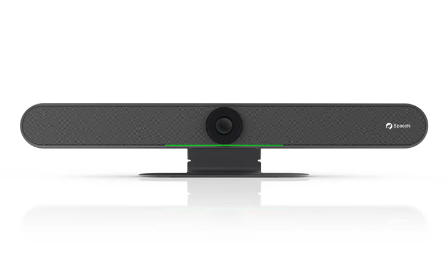
The range of physical and wireless interfaces determines how smoothly day-to-day use runs. The inclusion of versatile USB-C ports, HDMI connections and high-performance Wi-Fi protocols frees presenters from any connectivity concerns. For managers of IT fleets in schools or the tertiary sector, centralised remote administration offers an invaluable time-saving benefit when deploying security patches.
Overall robustness and energy efficiency deserve particular attention at the time of purchase. An interactive display represents a significant long-term financial investment. The materials used, intelligent standby management and software monitoring determine the device’s lifespan. In this regard, the teams at Speechi also ensure that personal data protection protocols compliant with regulatory requirements are integrated – an aspect all too often overlooked in education.
Although some high-end models boast a plethora of complex technological features, the key to making the right choice lies in selecting tools that are useful in day-to-day teaching, serving a genuine learning purpose rather than the fleeting appeal of technological gadgets.
Why rely on Speechi’s expertise to bring your interactive screen project to life?
Speechi’s offering goes far beyond simply supplying touchscreen equipment. The real value lies in a comprehensive support service designed to align technical requirements with the educational objectives of schools. Acquiring an interactive display is part of a genuine project to drive organisational change.
Speechi’s experts are involved throughout the entire value chain: from the initial assessment phase through to the physical installation on your premises, right up to practical training for end users. This methodical support is essential for overcoming resistance to change and ensuring that teams quickly embrace the technology.
The responsive maintenance and technical support provided by Speechi protect the initial investment against technical or software obsolescence. This allows managers to plan the renewal of their equipment with complete peace of mind, free from the constraints of after-sales service.
Working with Speechi means being assured of proven expertise and a constant understanding of the realities of the classroom or the workplace. The interactive screen ceases to be a mere digital tool and reveals its true potential as a catalyst for intellectual empowerment and collective success, rooted in a sustainable vision of learning.
Read other articles !
- Interactive whiteboard : How to you choose the best one?
- Interactive touch screen : How to you choose the best one?
- Best interactive display for remote meetings ?
- Interactive display for professionals
- Teaching English in Primary School with an Interactive Display
 From 55” to 105”, Full HD or 4K UHD, how to choose the right interactive touch screen
 Interactive whiteboard : how to you choose the best one?
 Interactive touch screen : how to you choose the best one?
 How to choose the best interactive whiteboard for your classroom
 Digital whiteboard : how to you choose the best one?
