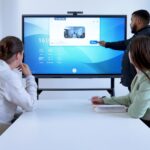
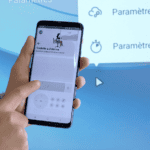
Choosing the right BYOD accessories for business can improve workplace flexibility, simplify connectivity and support secure collaboration. As hybrid working becomes increasingly common, employees need reliable solutions to connect their laptops, smartphones and tablets to professional equipment. Speechi helps businesses identify the most suitable accessories for modern workspaces and meeting rooms.
Do you already know what BYOD and BYOM mean? BYOD (Bring Your Own Device) allows employees to use their personal devices for professional activities, while BYOM (Bring Your Own Meeting) enables meeting participants to connect their own computers to compatible audiovisual equipment. Both approaches offer greater flexibility, provided that businesses choose appropriate hardware and establish clear security policies.
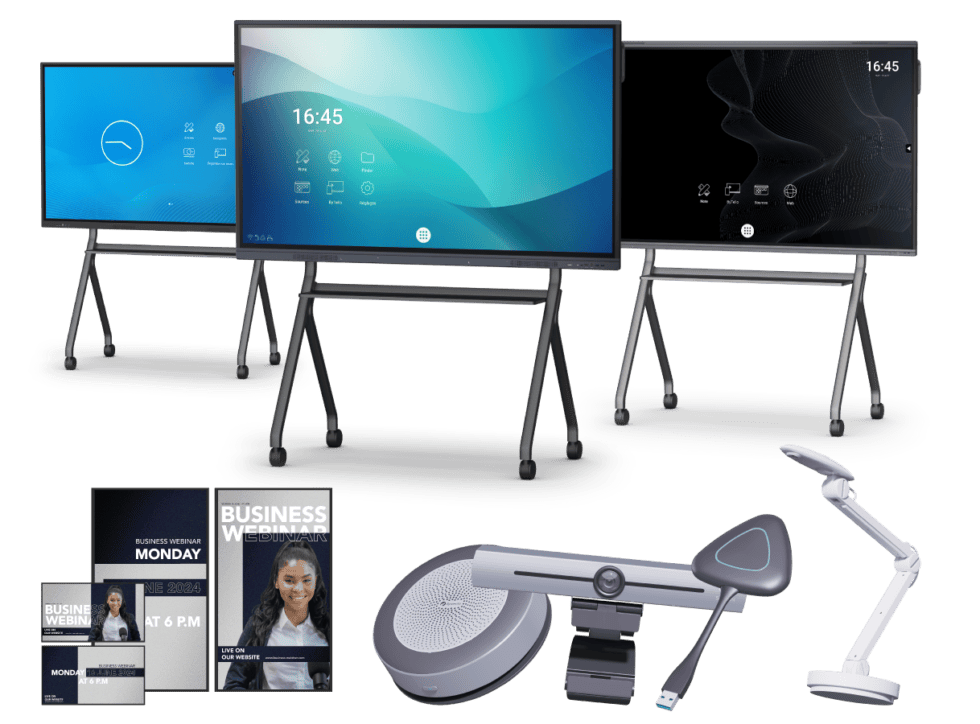
At Speechi, you can discover a selection of BYOM and BYOD accessories for meeting rooms designed to facilitate content sharing and professional collaboration. From wireless presentation systems to connectivity solutions, the right equipment can help employees work efficiently while meeting their organisation’s technical requirements.

Why are security and compatibility essential when choosing BYOD accessories?
The main challenge of implementing BYOD in a business is finding the right balance between employee flexibility, device compatibility and information security. Allowing staff to use their own computers, tablets or smartphones can simplify everyday working practices, but it also introduces technical and organisational considerations.
In a traditional office environment, employees often use standardised equipment supplied and managed by the company. With BYOD, however, different operating systems, connection ports and hardware configurations may coexist within the same organisation. This diversity can create compatibility issues when employees need to connect to external monitors, interactive displays, projectors or meeting room equipment.
For example, one employee may use a Windows laptop with HDMI connectivity, while another relies on a MacBook with USB-C ports. Without suitable adapters or presentation accessories, connecting these devices to a shared meeting room display can become unnecessarily complicated.
Professional BYOD accessories help address these challenges by providing reliable connections between different devices and workplace equipment. Depending on their specifications, docking stations, USB-C hubs, video adapters and wireless presentation systems can make it easier to connect laptops to external displays, keyboards, networks and audiovisual peripherals.
Wireless presentation solutions are particularly useful in meeting rooms. Compatible accessories can allow employees to share presentations, documents and other content on a large display without repeatedly changing cables or adapters. This can reduce interruptions and help meetings start more smoothly.
However, compatibility should never be assumed. Not every USB-C port supports video output, and some accessories require specific drivers, operating systems or connection protocols. Businesses should therefore check the technical specifications of both the accessory and the devices they intend to use.
Security is equally important. Personal devices may contain both professional and private information, creating potential risks if company data is stored or accessed without appropriate safeguards.
BYOD accessories can contribute to a secure working environment, but they cannot replace a comprehensive cybersecurity policy. Organisations should implement suitable authentication, encryption, access controls and device management procedures to protect sensitive information.
Businesses should also consider their obligations under the General Data Protection Regulation (GDPR) when personal devices are used to process personal data. Clear policies should explain which devices are authorised, how professional information must be protected and what happens when an employee leaves the organisation.
By combining compatible hardware with appropriate IT security measures, companies can take advantage of BYOD while reducing unnecessary technical difficulties and data protection risks.
Which professional BYOD accessories are essential for flexible working?
The best BYOD accessories for business depend on how employees work, which devices they use and the equipment available in their offices or meeting rooms. Several types of accessories can help create a more flexible and productive working environment.
USB-C docking stations and multiport hubs
A USB-C docking station allows employees to connect compatible laptops to several peripherals through a central connection. Depending on the model, a docking station may provide access to external monitors, keyboards, mice, Ethernet networks, USB devices and charging.
This type of accessory is particularly useful in shared offices and flexible workspaces. Employees can connect their laptop to a workstation without having to attach every peripheral separately.
USB-C hubs offer similar advantages in a more compact format. They can provide additional connection ports for employees who regularly move between meeting rooms, offices and remote working locations.
Before choosing a docking station or hub, businesses should verify compatibility with the laptop’s USB-C capabilities. Video output, charging power, data transfer speeds and support for multiple monitors vary according to the computer and accessory.
Video adapters and display connectivity accessories
Video adapters are essential when employees need to connect laptops to displays with different connection standards. Depending on the equipment, HDMI, DisplayPort and USB-C adapters can help establish a connection between a computer and a meeting room screen.
For example, a USB-C to HDMI adapter may allow a compatible laptop to display presentations on an external monitor or interactive touchscreen. However, the laptop’s USB-C port must support the appropriate video output functionality.
When selecting video adapters, organisations should consider supported resolutions, refresh rates, cable lengths and connection reliability. These factors can affect image quality and the overall presentation experience.
For businesses that regularly welcome external visitors or employees using different computer models, maintaining a selection of compatible video adapters can help avoid delays during meetings.
Wireless presentation systems for meeting rooms
Wireless presentation accessories are particularly useful for businesses adopting BYOD and flexible meeting room configurations. They can allow employees to share content from compatible laptops or mobile devices on a large display without relying exclusively on physical video cables.
Depending on the system, users may connect through a dedicated transmitter, an application or a supported wireless display protocol. Some solutions also allow several participants to share content during the same meeting.
Combined with a Speechi interactive touchscreen, a compatible wireless presentation system can provide a shared visual workspace for presentations, project reviews and collaborative discussions.
Before purchasing, businesses should verify operating system compatibility, network requirements, supported display resolutions and security features. Wireless screen sharing does not automatically provide access to meeting room cameras or microphones, so organisations requiring these functions should consider a suitable BYOM solution.
Encrypted USB storage and secure data transfer
Portable storage devices can be useful for employees who need to transfer files between authorised computers or work in environments with limited network access.
Hardware-encrypted USB drives can help protect confidential information if a storage device is lost or stolen. Depending on the product, encryption and authentication features can restrict access to stored files.
However, encrypted storage should be used within a wider company security policy. Organisations should define which files may be transferred, who is authorised to use removable media and how data must be deleted when it is no longer required.
Encryption does not eliminate every cybersecurity risk. Businesses should also consider malware protection, device approval procedures and secure file-sharing alternatives.
Plug-and-play cameras, microphones and BYOM solutions
Video conferencing has become an important part of professional collaboration. Employees working in hybrid environments need reliable audio and video equipment to communicate effectively with colleagues, customers and partners.
Compatible USB webcams, microphones, speakerphones and conferencing systems can help improve the quality of remote meetings. Some devices support plug-and-play operation, reducing the need for additional installation procedures.
For meeting rooms equipped with shared cameras, microphones and speakers, BYOM accessories can allow participants to connect their own laptops and use the room’s audiovisual equipment with their preferred video conferencing application.
This approach can be useful for organisations that regularly use Microsoft Teams, Zoom or Google Meet. However, compatibility depends on the BYOM system, connected peripherals, computer configuration and conferencing software.
Speechi offers professional connectivity and collaboration solutions that can help businesses equip meeting rooms for more flexible working practices.
How to choose secure and compatible BYOD accessories for your business
Choosing professional BYOD accessories requires more than comparing prices. Businesses should assess compatibility, connection standards, security requirements, durability and the practical needs of their employees before investing in new equipment.
Check compatibility with existing devices
The first step is to identify the laptops, smartphones, tablets and operating systems used within the organisation. This information helps determine which accessories can support the widest range of authorised devices.
For USB-C accessories, businesses should check the relevant technical capabilities. USB-C describes a connector type, but it does not guarantee support for every function.
For example, USB Power Delivery enables compatible devices to negotiate charging power, while DisplayPort Alt Mode allows supported USB-C connections to transmit video signals. Other features, such as high-speed data transfer or support for multiple external monitors, depend on the specifications of the computer and accessory.
Organisations should also verify the supported operating systems, required drivers and any software installation restrictions. These checks are particularly important when employees use a mixture of Windows, macOS and other platforms.
Prioritise reliability and professional-grade equipment
Accessories used in shared offices and meeting rooms may be connected and disconnected many times each day. Reliable construction, suitable connectors and appropriate electrical specifications are therefore important considerations.
Low-quality or incompatible accessories can cause connection failures, unstable video output or charging problems. In some circumstances, defective electrical equipment may also create safety risks.
Businesses should prioritise reputable manufacturers, clearly documented specifications and products that meet applicable safety and conformity requirements. Warranty conditions and technical support can also influence the long-term value of an accessory.
For meeting room equipment, ease of use is equally important. Employees should be able to connect their devices without complicated procedures or repeated assistance from the IT department.
Integrate BYOD accessories into your cybersecurity policy
Secure BYOD deployment depends on the combination of appropriate hardware, software controls and clear organisational policies. Accessories should be selected with the company’s information security requirements in mind.
For example, encrypted storage devices can help protect files during transport, while managed wireless presentation systems may offer security features such as authentication or network access controls. The available protections depend on the product and its configuration.
However, no accessory can guarantee complete protection against unauthorised access or cyberattacks. Organisations should also implement suitable endpoint security, regular updates, access management and employee awareness training.
Where personal devices are authorised, the BYOD policy should specify which equipment can access company resources, how sensitive data must be handled and what procedures apply if a device is lost or compromised.
Choose accessories suited to your meeting room requirements
Not every business needs the same BYOD equipment. A small meeting room used mainly for presentations may require a simple wireless screen-sharing solution, while a larger hybrid meeting space may benefit from a BYOM system that connects laptops to shared cameras, microphones and speakers.
Businesses should therefore identify their main requirements before selecting accessories. These may include wireless presentation, external display connectivity, video conferencing, charging, network access or secure file transfer.
Speechi offers a selection of professional BYOD and BYOM accessories designed to support connectivity and collaboration in modern workplaces. Comparing their features and technical specifications can help organisations select solutions that integrate with their existing equipment.
Whether you want to simplify laptop connections, improve content sharing or equip a meeting room for hybrid collaboration, the right BYOD accessories can help create a more flexible, reliable and productive working environment.
Explore the Speechi range of BYOD and BYOM accessories for meeting rooms in our online shop. Compare available solutions, review their compatibility and technical specifications, and choose the professional equipment best suited to your organisation’s needs.
Reduce repetition and tighten the articleReorganise accessories by business needs