

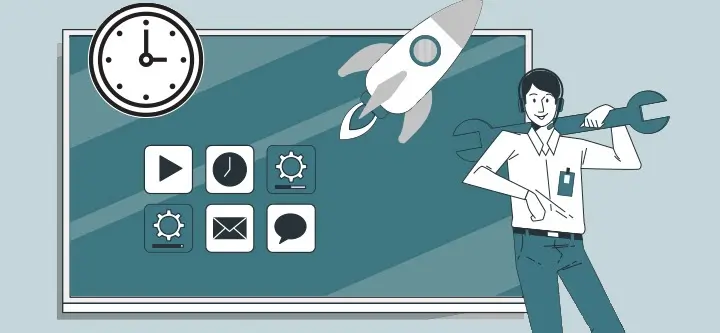
With Speechi Connect 2.0, launched at the end of 2025, our software ecosystem takes a major leap forward. More customizable, more secure, and easier to use on a daily basis, it turns your Speechi interactive displays into true collaborative hubs, adapted to every profession and every use case.
This new major version is built around three key promises:
- More possibilities thanks to new plans
- More control over your content and access
- A smoother experience for all your users
Summary
- New plans to go further: paid models
- Cloud Connect: your cloud files, handled with peace of mind
- Public Directory: display your content everywhere, without moving
- Lock Screen: secure the display with the NFC card
- Focus Mode: audio without the distraction of the image
- Automatically launch an app on startup
- Single Sign-On (SSO): centralized management for IT departments
- New Quick Apps: more tools, better organized
- A completely redesigned Launcher: faster, smoother, more scalable
New plans to go further: paid models (↑)

Until now, every Speechi interactive display came with the Starter plan, ideal for getting started with Speechi Connect.
With version 2.0, our ecosystem expands: we are introducing new paid plans that unlock even more capabilities and open up a wide range of possibilities (advanced content management, site-level organization, enhanced security, etc.).
The goal: allow you to choose the level of service that truly fits your context (school, small and medium-sized businesses, large company, public sector…) and let your displays evolve at your own pace.
Cloud Connect: your cloud files, handled with peace of mind (↑)

With Cloud Connect, your users can access their drive files easily and securely.
- Connect to Google Drive or OneDrive through a secure session, opened from the user’s own device (PC, smartphone, etc.).
- No login credentials or sensitive data are stored on the display after logout.
- The display acts as an interface: you can show your Drive content, download a document to the Speechi cloud space, annotate it, or modify it.
- The original files on Google Drive / OneDrive are never changed — only the copies hosted in the Speechi cloud are updated.
In short: you enjoy the convenience of the cloud without risking your data.
Public Directory: display your content everywhere, without moving (↑)

With the Public Directory, you can easily manage the display of content across your entire fleet of screens:
- Publish your content directly from the admin console.
- The content becomes accessible on all relevant displays, without any need to move physically.
- Even if a user deletes content locally, it is automatically restored to the display as soon as it powers back on.
Updates are not done in real time: they occur at startup or login to preserve system stability.
Ideal for:
- internal communications,
- safety instructions,
- or any important message you want displayed consistently across all your sites.
Lock Screen: secure the display with the NFC card (↑)
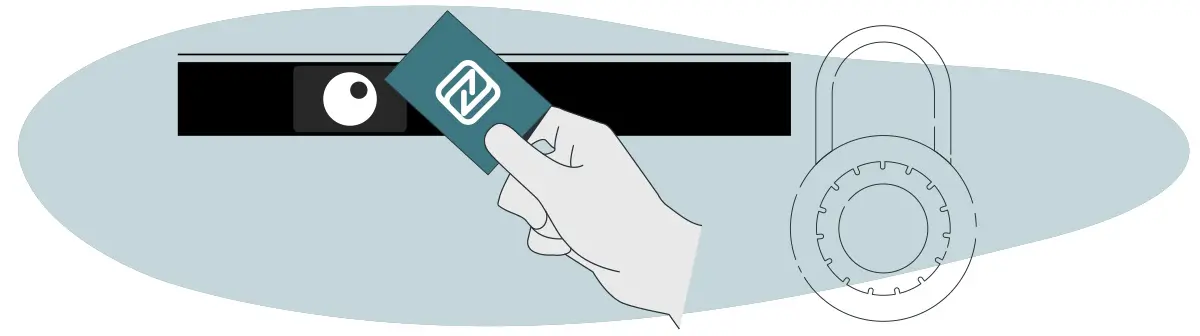
The Lock Screen feature allows you to use the NFC card as a screen control key:
- Lock and unlock the display with a simple NFC card scan.
- The NFC sensor is no longer only used for connecting to Speechi Connect — it becomes a real security tool.
- Cards can be imported or exported directly from the display or via a simple TXT file.
Result: your displays remain accessible to the right people, at the right time, with a quick and familiar gesture.
Focus Mode: audio without the distraction of the image (↑)

Focus Mode addresses a very concrete need, especially in educational settings:
- The screen turns off visually, but audio sources remain active.
- Students can focus on what they hear without being distracted by images or displayed content.
- The mode is available as an app and accessible as a Quick App in the side bar.
A simple, smart tool to support listening, note-taking, or any moment when visuals aren’t needed.
Automatically launch an app on startup (↑)

With Speechi Connect 2.0, your displays can instantly start in the right context:
- When the display powers on, an application of your choice launches automatically.
- The administrator decides which app opens: homepage, business software, educational app, etc.
- From the moment it turns on, the display is ready with no extra steps.
Save time, reduce mistakes, standardize the user experience — everything happens in the very first second of use.
Single Sign-On (SSO): centralized management for IT departments (↑)

With Single Sign-On (SSO), Speechi Connect integrates directly into the organization’s directory (IS):
- The IT team manages users and permissions from a single point, through the existing directory.
- Opening or closing Speechi Connect access is synchronized with account management (new hires, departures, role changes, etc.).
- Speechi Connect licenses automatically align with the reality of the information system — no double entry or parallel management.
For users, nothing changes: they log in with their usual corporate account, with no additional password to remember.
New Quick Apps: more tools, better organized (↑)
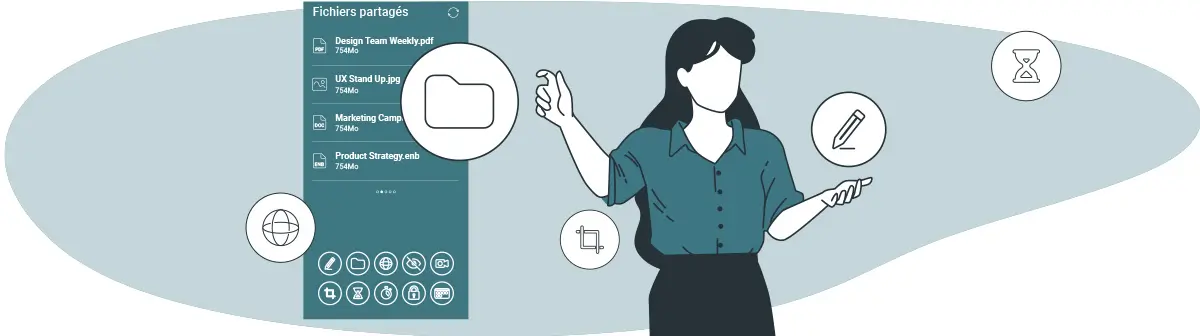
The toolbar gets a boost with new Quick Apps and improved ergonomics:
- The quick access menu now features 17 applications.
- Display is optimized: 10 apps visible (5 × 2), instead of 8 previously.
- New additions include: Focus Mode, Screen Lock, Cloud Connect, and Whiteboard (direct opening of Note).
With one gesture, your users access key functions without getting lost in menus.
A completely redesigned Launcher: faster, smoother, more scalable (↑)

The Launcher (your display’s home interface) has been completely revamped:
- Faster, more stable, and more fluid navigation for all users.
- A renewed foundation that allows us to evolve the displays much faster, adding new features and improvements at an accelerated pace.
In short, Speechi Connect 2.0 is the starting point for a new generation of services for your interactive displays.
What’s next?
Version 2.0 marks a major milestone in the history of Speechi Connect: more than just an update, it is a new foundation to support your long-term digital transformation.
To learn more about the new plans, feature activation, or to get personalized support, contact your usual Speechi representative or our sales team.
 Advertising: A Speechi display to boost your sales
 Speechi in the series HPI (TF1): a high-potential interactive screen
 Unleashing the Potential in Education: Smart White Boards for Homeschool, Homes and Students
 Talk, Stream & Vault: The 3 New Speechi Connect Features Coming Soon to Your Speechi Interactive Display
 Gynzy Tutorial No. 1: Connecting to your Gynzy Whiteboard via Speechi Connect
