How to Get the Most Out of Skype for Your Business
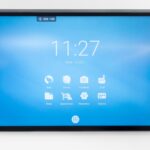
Speechi provides clear and practical information about using Skype effectively in a business environment. Skype remains widely used thanks to its simplicity and free access. Despite the rise of platforms such as Microsoft Teams and Zoom, Skype continues to be a reliable communication tool for SMEs, professional firms, public organisations, and educational institutions. To achieve a professional experience, it is essential to use Skype with the right hardware. With an interactive Android screen, Skype can be used smoothly, without a computer, and with high-quality audio and video.
Skype in Professional Environments
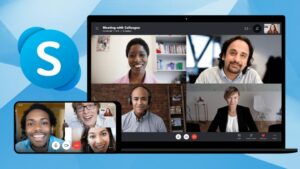
Skype is present in many professional contexts, including liberal professions, small businesses, local authorities, schools, and associations. Its popularity is due to its ease of use, lack of licence fees, availability on multiple devices, and compatibility with standard internet connections. However, using Skype on a small laptop screen with a basic webcam and shared microphones can limit the experience. Poor sound quality, small images, and technical constraints can reduce communication effectiveness, which is why an interactive Android screen is a valuable solution.
The Advantages of an Android Interactive Screen
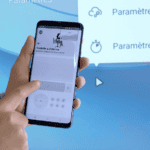
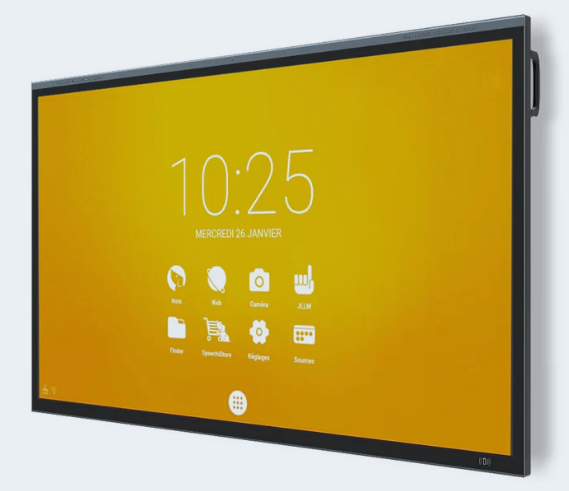
Speechi interactive Android screens are standalone touchscreens designed like large professional tablets. The Skype application can be installed directly from the Google Play Store, just like on a smartphone or tablet. No computer is required, and there is no complex configuration. All functions, such as making and receiving calls, activating the camera and microphone, sharing content, and annotating documents, are managed directly from the screen. This makes it a simple, fast, and intuitive solution for businesses. In addition to Skype, other professional applications such as calendars, web browsers, presentation tools, and digital signature software can also be installed.
Key Benefits of Using Skype on a Speechi Screen
Using Skype on a Speechi interactive screen offers multiple advantages. The large touchscreen ensures excellent visibility for group meetings. Skype can be installed directly via the Play Store for easy setup. USB cameras and microphones can be added for improved audio and video performance. The Android interface is intuitive, allowing users to operate it without technical training. A whiteboard feature enables live annotation, drawing, and sharing of ideas during calls. Finally, the elegant design allows the screen to fit perfectly into offices, meeting rooms, and reception areas.

Practical Applications in Different Environments
This solution allows organisations to conduct high-quality Skype video conferences independently while maintaining a professional image. In medical and paramedical practices, it can be used for teleconsultations or exchanges with other practitioners, providing reassurance to patients. In SMEs, it enables regular remote meetings without technical delays. Local authorities and associations can use it for inter-site meetings and presentations. In reception areas and service counters, visitors can communicate independently with remote locations via Skype. In all scenarios, the interactive screen removes technical obstacles, allowing users to simply switch it on and start a call.
You can also read our article about Zoom or Microsoft Teams, to choose the best digital whiteboard software for remote and collaborative working
Choosing the Right Screen and Accessories
The ideal screen size depends on the environment. A 55-inch or 65-inch screen works well in a small office or meeting room for two to four people. A 75-inch screen offers greater visual comfort in medium-sized rooms. The choice of screen model should reflect the primary use. A simple Android model is suitable if Skype is the main communication tool, while an Android + Windows OPS model is better if combining Skype with Microsoft Office or Teams. Accessories such as USB cameras, ambient or ceiling microphones, wall mounts, or mobile carts can enhance the overall experience depending on the room configuration.
Why Choose Speechi for Skype
In professional settings, video conferencing must be fluid, accessible, and high-quality. Using Skype on a Speechi Android interactive screen provides an all-in-one solution that is easy to use, reliable, and perfectly suited to business needs. Organisations can contact Speechi to equip their offices with an interactive Android screen for professional Skype use and explore the full range of interactive displays and videoconferencing accessories available in the online store.