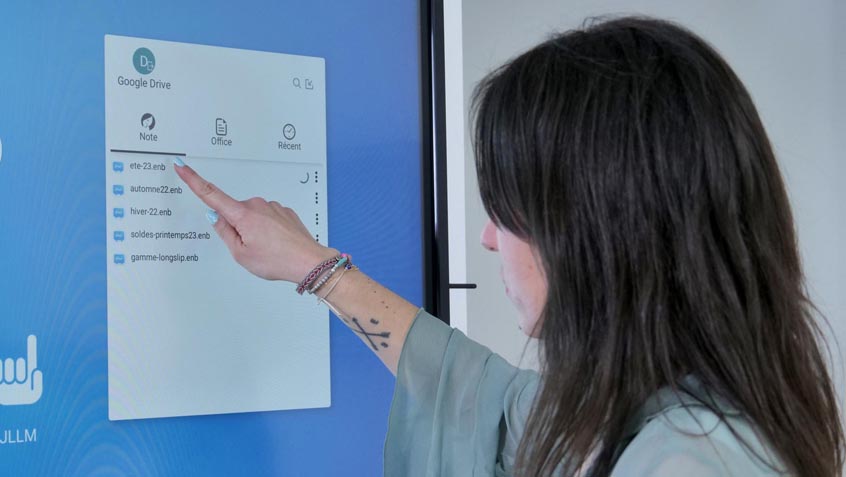
For your local authority, association, or company, are you considering investing in an Android interactive screen for meeting rooms? Speechi provides expert guidance and comprehensive insights into these advanced collaboration tools. Discover which touchscreen display is best suited for your meeting room. Whether in a conference room or remote setting, the quality of digital communication has become a key driver of team performance. Speechi offers a range of interactive displays designed to turn remote meetings into truly productive work sessions. Here are the essential criteria for making the right choice.

The technical pillars of effective meetings
Choosing an interactive display goes beyond selecting the screen size. To ensure a seamless meeting experience, several technical factors are crucial:
- Image quality: 4K resolution is now the benchmark for clear document sharing and sharp video clarity.
- Responsiveness: Minimal latency ensures natural writing and smooth real-time annotations without delays.
- Universal connectivity: A versatile hub (USB-C, HDMI, wireless) allows every participant to connect their device instantly.
Native integration with popular videoconferencing platforms such as Teams, Zoom, and Google Meet enables you to launch meetings quickly without complex setup. You can also easily learn about
Speechi sells also video conferencing solutions with a camera for every videoconférence.

Ergonomics: technology should support usability
At Speechi, we believe technology succeeds when it is intuitive. The interface should be easy to use, even for occasional users. The goal is simple: technology must never interfere with meaningful discussion.
Physical ergonomics are equally important. Mobile or height-adjustable stands allow the screen to adapt to any workspace. Wireless screen sharing enhances usability by eliminating cable clutter and supporting a clean, professional environment.

Productivity: from discussion to immediate action
The productivity gains of an interactive display are measurable. Real-time collaboration significantly reduces post-meeting email exchanges. Decisions are made faster because information is developed collectively and visually during the meeting.
Brainstorming becomes more dynamic: ideas are captured, organised, and saved instantly. This centralised workflow prevents data loss and ensures all participants — onsite or remote — leave with the same information.
Best interactive display for remote meetings, according to Speechi
Every workspace has different needs. Here are the key criteria to guide your investment:
| Criterion | User benefit |
|---|---|
| Touch technology | High precision (infrared vs capacitive) and smooth multitouch performance. |
| Artificial intelligence | Automatic participant framing and active noise cancellation. |
| Embedded system | Standalone operation (Android or OPS PC slot) without external devices. |
With Speechi, you now have a clear overview of the best interactive displays for remote meetings. Visit our online store to compare models and find the ideal solution for your needs. Do not hesitate to read our