

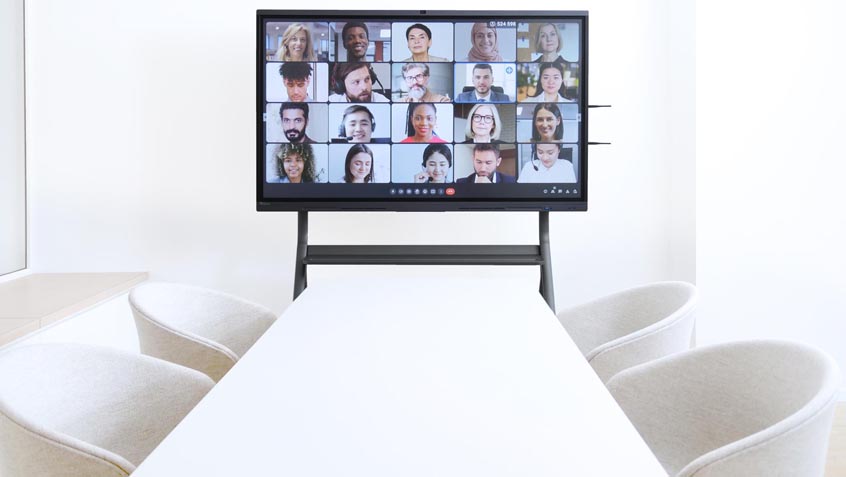
In organizations and government bodies, efficient communication and collaboration are key pillars to success.
Read on to discover the benefits of using smart whiteboards in your government organization.
Enhanced unity and collaboration
Interactive whiteboards have already proven to be game-changers in many organizations – from businesses to school classrooms – and one of the main reasons for this is because they help make people work better together.

With brainstorming software, powerful videoconferencing features and the ability for meeting attendees to manipulate objects on the screen in real-time, you can work seamlessly with your teams and stakeholders. Action plans and processes have never been so easy to formulate. To see how other institutions have successfully adopted these solutions, feel free to browse our latest news updates.
Communicate ideas with total clarity
When it comes to decision-making and policy-writing, it is crucial for everyone involved to base their conclusions and actions on facts and figures. With government organizations collaborating internationally and working with remote teams, smart whiteboards are the perfect way to visualize data with clear, colourful and dynamic graphs and charts.
Interactive whiteboards also offer a range of annotation and note-taking tools, so if there are further comments or clarifications to make on a particular project, they can be added by anyone involved.
Communicate ideas with total clarity

Want to draw and write your ideas by hand, and free yourself from the confines of text boxes and charts? Harness the benefits of a traditional whiteboard, with the ability to draw and annotate in detail using your fingertip or a stylus. With multiple colours and pen types to choose from on a smart whiteboard, you’ll never have to worry marker pens drying out or running out of ink.
Back up, store and share meeting slides
No matter how productive, captivating or efficient your brainstorming session or meeting may be, there is always the risk of meeting attendees forgetting about the topics covered later on. With interactive whiteboards, this is a problem of the past! Meeting presenters can store and share all their meeting slides with employees, complete with notes and annotations made throughout the course of the meeting. In environments that manage multiple displays across different locations, relying on a robust education MDM tool can also ensure that files and system settings are seamlessly synchronized across all devices.
By using this feature, you can ensure that everyone is on the same page, and no-one misses a detail.
Crystal-clear video and audio

Of course, for communication to be effective, everyone in your organization’s meeting must be able to see and hear each other properly. If you are wondering why to install a touchscreen interactive display for video conferencing, the answer is simple: Speechi interactive whiteboards are equipped with state-of-the-art webcams and speakers, so everyone attending your government meetings will appear in stunning detail on your screen.
If so, it may be worth investing in a standalone webcam, such as an
Want to make sure everyone’s ideas can be heard? We offer omni-directional microphones that can be placed in the centre of the room – and for presenters, you can also invest in a wireless microphone.
Not sure where to start?
With nearly two decades of expertise equipping over 150,000 meeting spaces and classrooms with interactive whiteboard technology, Speechi is here to help.
Get in touch with our team of experts via telephone or email, and you will receive tailor-made advice, support, recommendations and a custom pricing quote.
Also, if you would like to see our products in-person, you are more than welcome to visit our French showrooms in Paris and Lille. Transform your government organization today.
 Harnessing the power of smart whiteboards and interactive whiteboards in the classroom
 Digital interactive whiteboards – systems and solutions
 Digital interactive whiteboards for Education and Enterprise
 Interactive whiteboards for healthcare and waiting room (Dentist, Medical…)
 How interactive smart whiteboards are revolutionising construction, engineering and architecture
